Locket Photos1.3
Publisher Description


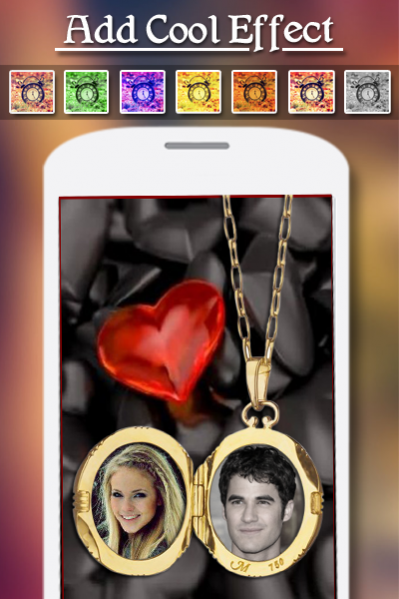
''Locket Photos''
Locket Photos is a Incredible Photo app for Romantic couple and those people who fall in Love. Locket Photos has wide collection of Locket Frames with delighting Background Themes .Decorate your pic with incredible Dual Locket Photo Frames .
Seven Exciting features-
1. { Locket Frames }
The most Fashionable HD Dual Locket Photo Frames like Round shapes Frames, Heart shapes Locket Frames to suit all your Artistic Photos.
2. { Stickers }
Apply cool Stickers with cute and Love themes. Make your Photos more Attractive and Memorable
3. { Filters }
Apply Amazing Filters to your Photos and make impressive
4. { Text }
Locket Photos has stunning text tool you can text on your Photo Frame with different Font and Color
5.{ Edit }
You can easily edit the Photos by rotating them, also you could zoom in zoom out your Photos with simple touch gestures.
6.{ Wallpaper }
set your Loving Photos as a Wallpaper on mobile and tab screen
7.{ save and share }
you can share your Lovable creation to your friends on popular social apps
About Locket Photos
The company that develops Locket Photos is SYNDICATE APP SOLUTION. The latest version released by its developer is 1.3.
To install Locket Photos on your Android device, just click the green Continue To App button above to start the installation process. The app is listed on our website since 2018-01-22 and was downloaded 8 times. We have already checked if the download link is safe, however for your own protection we recommend that you scan the downloaded app with your antivirus. Your antivirus may detect the Locket Photos as malware as malware if the download link to com.syndicate.locketphotos is broken.
How to install Locket Photos on your Android device:
- Click on the Continue To App button on our website. This will redirect you to Google Play.
- Once the Locket Photos is shown in the Google Play listing of your Android device, you can start its download and installation. Tap on the Install button located below the search bar and to the right of the app icon.
- A pop-up window with the permissions required by Locket Photos will be shown. Click on Accept to continue the process.
- Locket Photos will be downloaded onto your device, displaying a progress. Once the download completes, the installation will start and you'll get a notification after the installation is finished.
